Simple Crafty

Simple Crafty

Simple Crafty

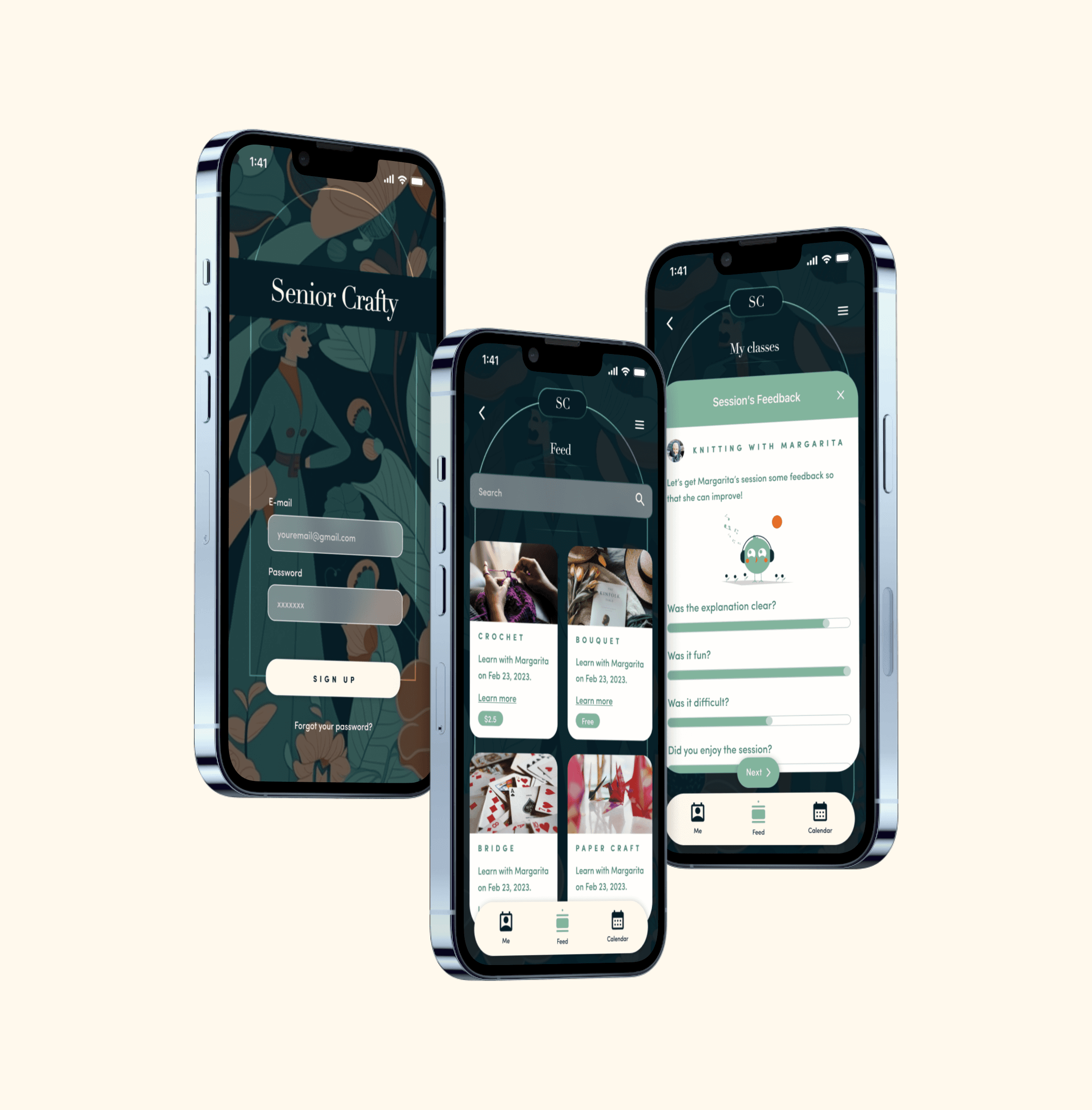
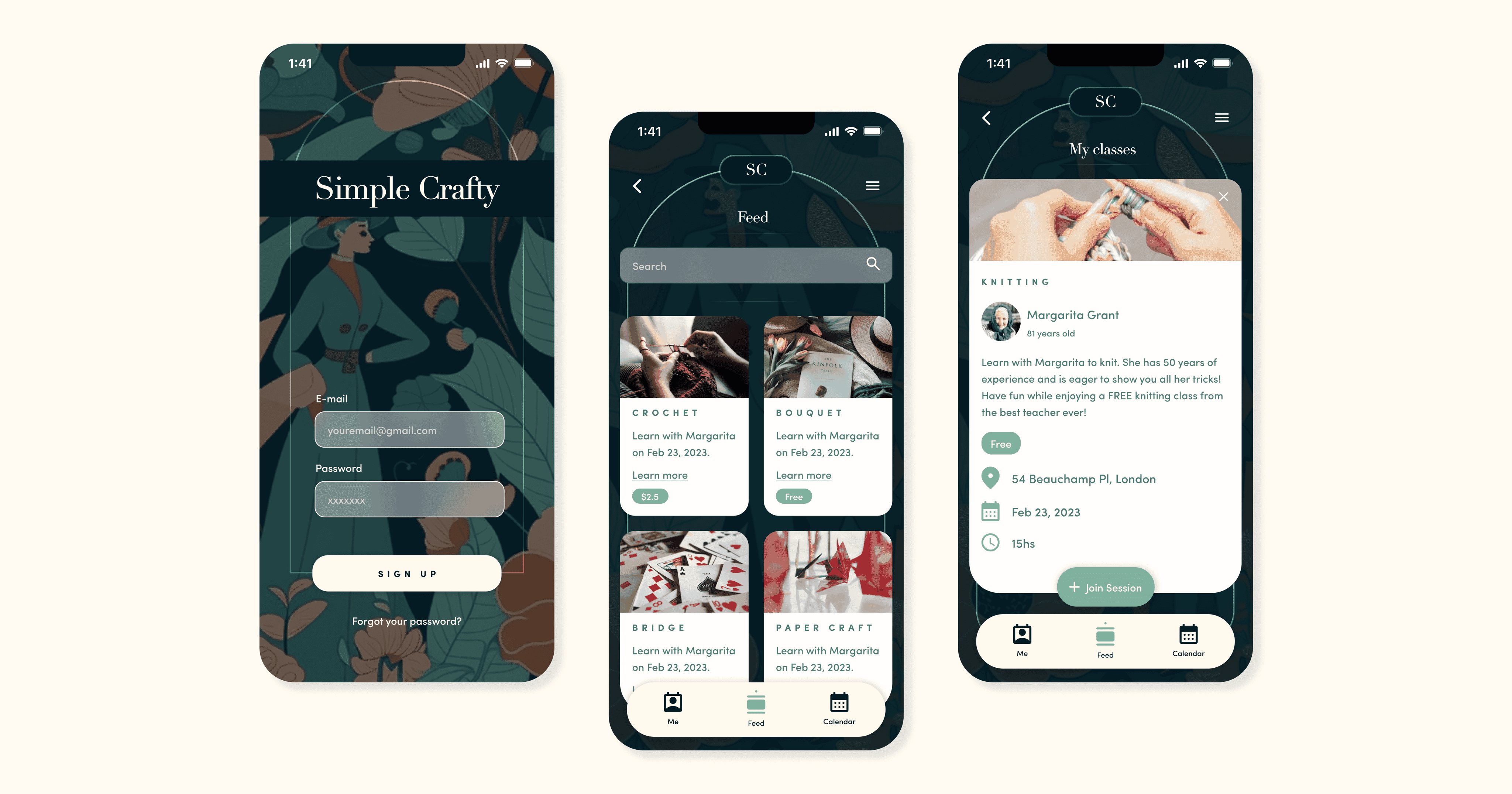
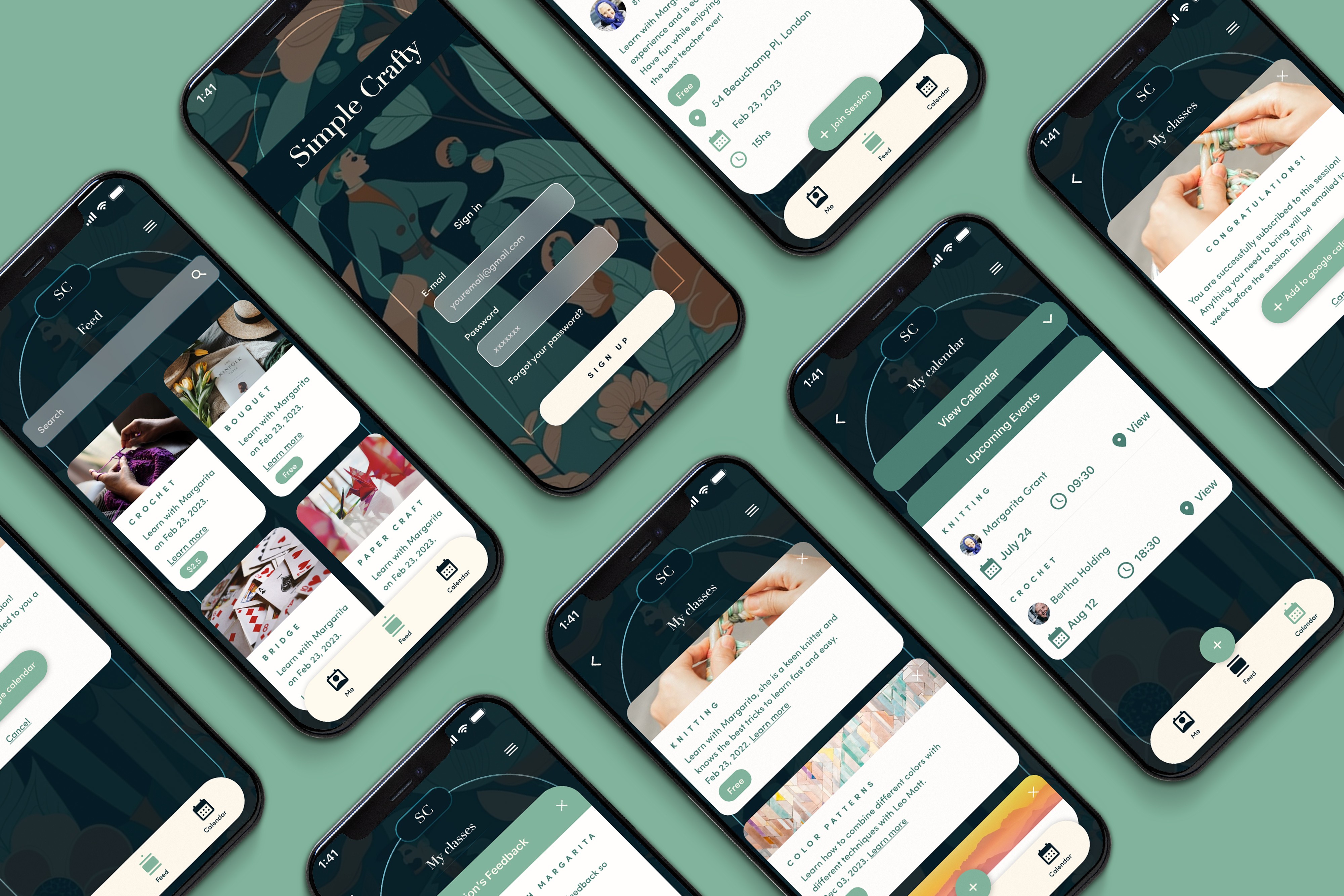
Simple Crafty is a unique mobile application designed for people who love to craft and want to share their knowledge with others.

Simple Crafty is a unique mobile application designed for people who love to craft and want to share their knowledge with others.

Simple Crafty is a unique mobile application designed for people who love to craft and want to share their knowledge with others.

Design

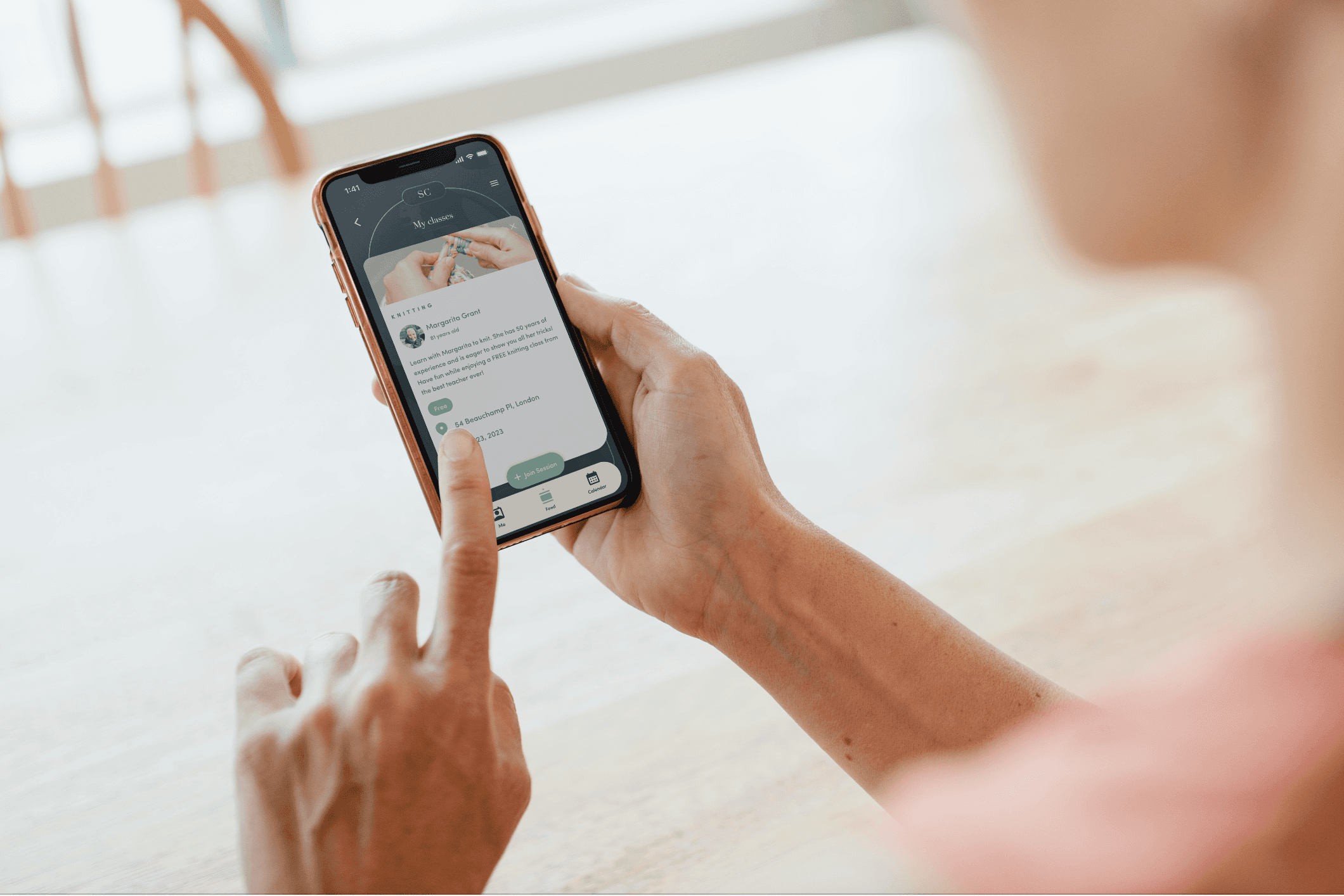
The goal was to create an app that was both user-friendly and effective in connecting the local community who are interested in learning crafts from each other.

The goal was to create an app that was both user-friendly and effective in connecting the local community who are interested in learning crafts from each other.

The goal was to create an app that was both user-friendly and effective in connecting the local community who are interested in learning crafts from each other.

Illustration

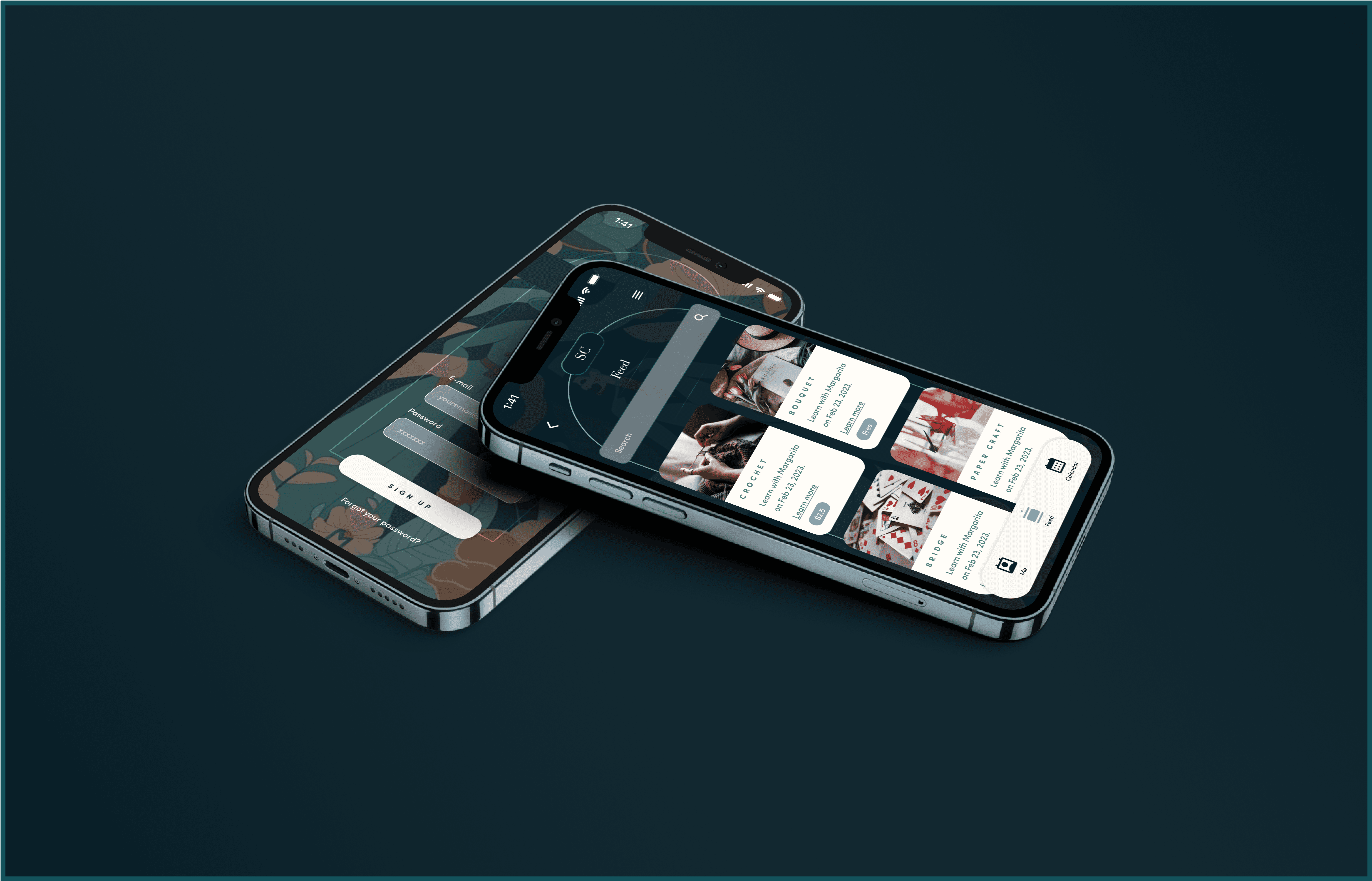
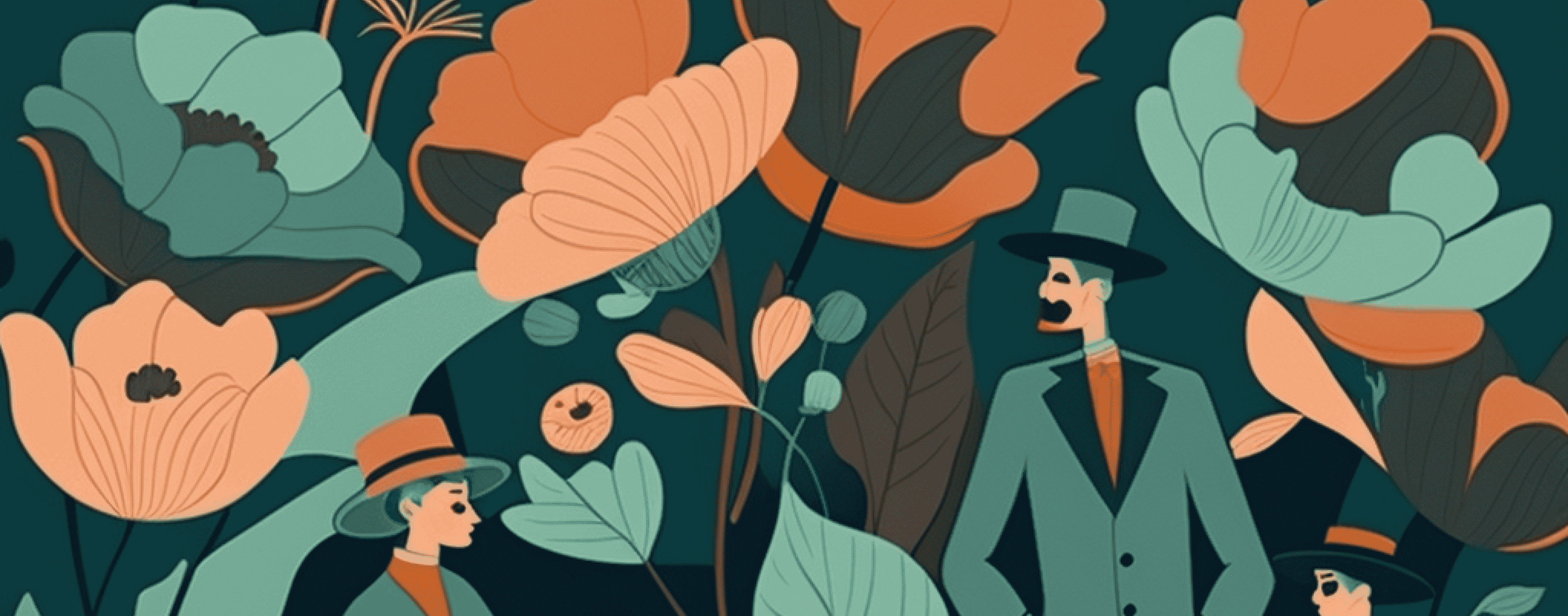
The Art Deco-inspired illustration is a stylish and eye-catching graphic that reflects the app's focus on creativity, art, and community. Providing a clear and memorable brand identity.

The Art Deco-inspired illustration is a stylish and eye-catching graphic that reflects the app's focus on creativity, art, and community. Providing a clear and memorable brand identity.

The Art Deco-inspired illustration is a stylish and eye-catching graphic that reflects the app's focus on creativity, art, and community. Providing a clear and memorable brand identity.

About the app

What inspired the creation of Simple Crafty?

Simple Crafty was inspired by the need to connect crafters of all ages, especially seniors who often feel neglected, with community members eager to learn new skills. Our research highlighted the therapeutic benefits of crafting and the desire for more meaningful community interactions.

How did we ensure the app's design is user-friendly and appealing?

We did our research, interviewing crafters aged 18 to 85, to understand their needs and preferences. We created wireframes and prototypes, and conducted usability tests with 12 crafters to refine the app's design. This iterative process ensured a user-friendly and engaging interface inspired by the art deco style.

What steps were involved in the development of Simple Crafty?

The development process involved several stages: Research & Define, Creating the Solution, Wireframing, Prototyping, User Testing, and Final Design. Each stage included feedback loops and user testing to ensure the app met the needs of our target audience, resulting in a well-designed and functional product.
About the design process

Several key stages involved

Design Stages

  1. Research & Define

We interviewed crafters of ages 18 to 85 years old, as well as people in the community who were interested in learning from them. We noticed seniors feel neglected by society and need a place where they feel useful. Also, community members are willing to learn exciting crafts to lower their anxiety in the modern world.

  1. Creating the Solution

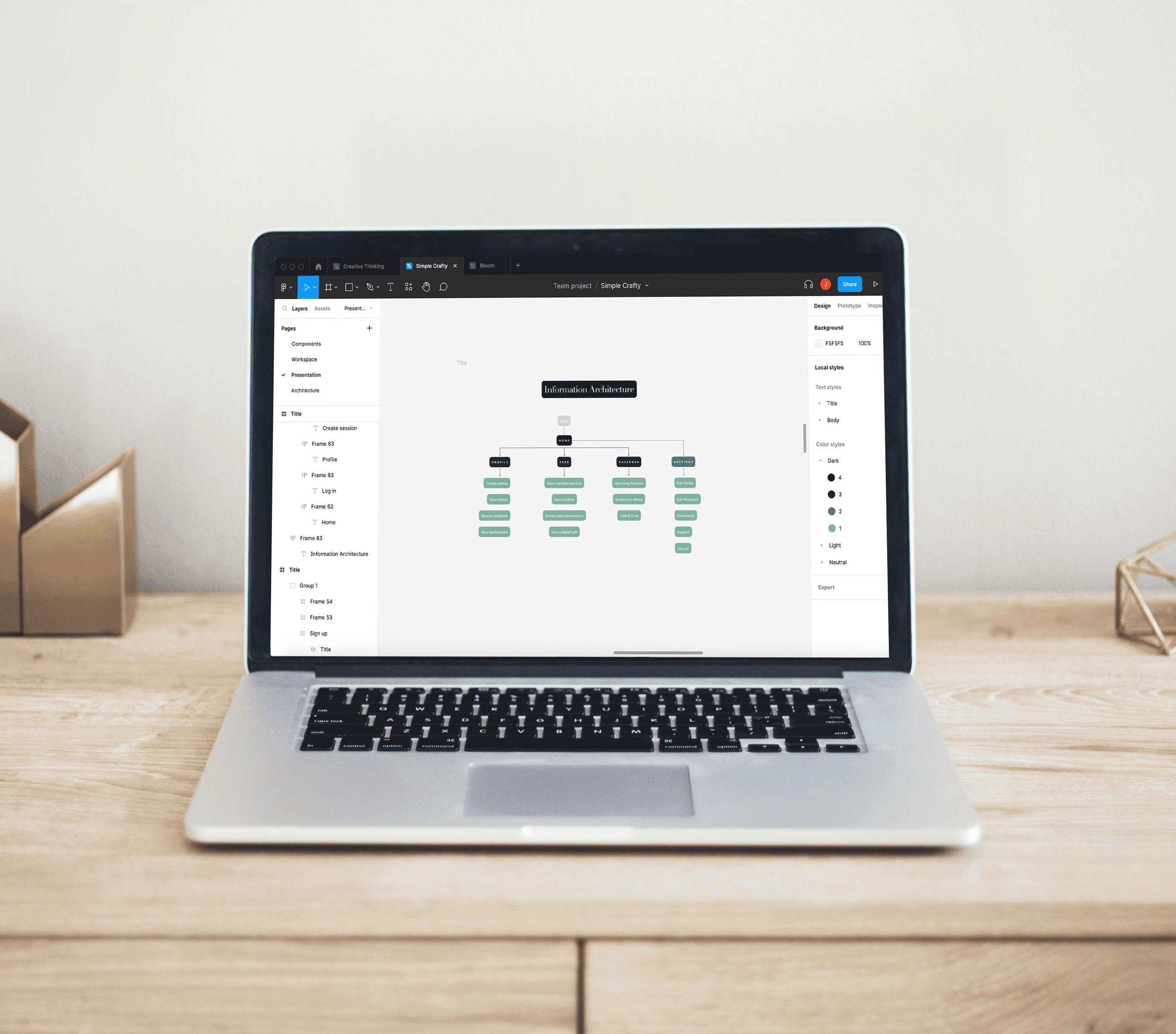
After defining our problem and empathizing with crafters and community members, we determined the user journey, the information architecture, and the critical aspects of the app for an MVP. We created the first sketches and wireframes of the app's user interface, layout, and features. This helped visualize the app's design and structure before moving on to the next stage.

  1. Wireframing

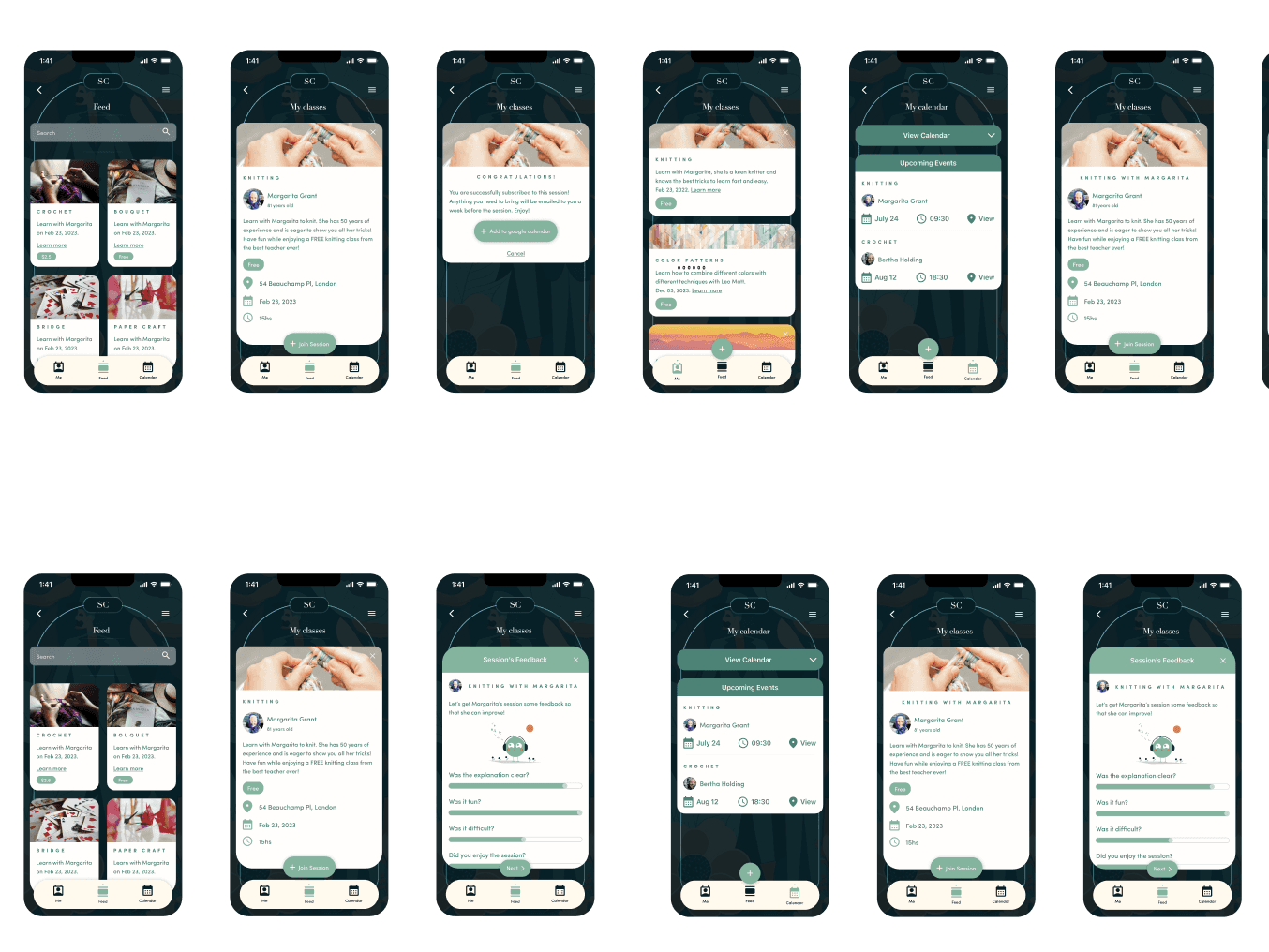
With the User journey defined and the information Architecture tested, we started creating the wireframes. After finalizing them in Figma, we tested the usability with 12 crafters who gave us insights on how would they navigate the app. We iterated and created the most engaging solutions before moving to the next stage.

  1. Prototyping

The information gathered helped us iterate and create designs centered on our crafters and community. The UI is very important for the usability of the app because we wanted people to feel comfortable. We got inspiration from the art deco period, with the concept behind the main app.

  1. User Testing

Once the prototype was ready to test, we conducted user testing in Maze to get feedback on the app's usability and design. This feedback was used to refine and improve the app's design. A crucial step before moving forward, saving time and resources in the next steps.

  1. Final Design

We created the Design Breakdown and Style Guide for the app, with the different specifications. Alongside devs we continue to create the app so that the design is implemented correctly and the features are reflected the right way.

Design Stages

  1. Research & Define

We interviewed crafters of ages 18 to 85 years old, as well as people in the community who were interested in learning from them. We noticed seniors feel neglected by society and need a place where they feel useful. Also, community members are willing to learn exciting crafts to lower their anxiety in the modern world.

  1. Creating the Solution

After defining our problem and empathizing with crafters and community members, we determined the user journey, the information architecture, and the critical aspects of the app for an MVP. We created the first sketches and wireframes of the app's user interface, layout, and features. This helped visualize the app's design and structure before moving on to the next stage.

  1. Wireframing

With the User journey defined and the information Architecture tested, we started creating the wireframes. After finalizing them in Figma, we tested the usability with 12 crafters who gave us insights on how would they navigate the app. We iterated and created the most engaging solutions before moving to the next stage.

  1. Prototyping

The information gathered helped us iterate and create designs centered on our crafters and community. The UI is very important for the usability of the app because we wanted people to feel comfortable. We got inspiration from the art deco period, with the concept behind the main app.

  1. User Testing

Once the prototype was ready to test, we conducted user testing in Maze to get feedback on the app's usability and design. This feedback was used to refine and improve the app's design. A crucial step before moving forward, saving time and resources in the next steps.

  1. Final Design

We created the Design Breakdown and Style Guide for the app, with the different specifications. Alongside devs we continue to create the app so that the design is implemented correctly and the features are reflected the right way.

Design Stages

  1. Research & Define

We interviewed crafters of ages 18 to 85 years old, as well as people in the community who were interested in learning from them. We noticed seniors feel neglected by society and need a place where they feel useful. Also, community members are willing to learn exciting crafts to lower their anxiety in the modern world.

  1. Creating the Solution

After defining our problem and empathizing with crafters and community members, we determined the user journey, the information architecture, and the critical aspects of the app for an MVP. We created the first sketches and wireframes of the app's user interface, layout, and features. This helped visualize the app's design and structure before moving on to the next stage.

  1. Wireframing

With the User journey defined and the information Architecture tested, we started creating the wireframes. After finalizing them in Figma, we tested the usability with 12 crafters who gave us insights on how would they navigate the app. We iterated and created the most engaging solutions before moving to the next stage.

  1. Prototyping

The information gathered helped us iterate and create designs centered on our crafters and community. The UI is very important for the usability of the app because we wanted people to feel comfortable. We got inspiration from the art deco period, with the concept behind the main app.

  1. User Testing

Once the prototype was ready to test, we conducted user testing in Maze to get feedback on the app's usability and design. This feedback was used to refine and improve the app's design. A crucial step before moving forward, saving time and resources in the next steps.

  1. Final Design

We created the Design Breakdown and Style Guide for the app, with the different specifications. Alongside devs we continue to create the app so that the design is implemented correctly and the features are reflected the right way.

User Personas

Crafty Cathy

Cathy is a retired artist who loves to share her passion for crafting with others. She enjoys making a variety of crafts, however, since retiring, she has struggled to find opportunities to teach her skills and connect with others who share her interests. She is excited to use the Senior Crafty app to connect with people in her community who are interested in learning from her and to find new inspiration for her own crafting projects.

Busy Brian

Brian is a busy professional who has always been interested in learning how to knit. However, he has never had the time or resources to take a formal class or find a teacher. He is excited to use the Senior Crafty app to connect with seniors in his community who can teach him the skills he's been wanting to learn, and he appreciates the app's easy-to-use interface and flexible scheduling options.

Tech-Savvy Tina

Tina is a tech-savvy retiree who loves to stay up-to-date with the latest gadgets and apps. She enjoys crafting in her spare time and is always on the lookout for new ways to connect with like-minded individuals. She is impressed by the Senior Crafty app's user-friendly design and innovative approach to community building. She is excited to use the app to share her skills and connect with others in her community.
Choose Simple Crafty

Connect with your community and with your inner crafter! Learning is better when you are connected.

Choose Simple Crafty

Connect with your community and with your inner crafter! Learning is better when you are connected.

Choose Simple Crafty

Connect with your community and with your inner crafter! Learning is better when you are connected.

Thanks!